Skip to content
Merieva
NewAdvancedExcelPrivacy First

Roth Conversion Navigator

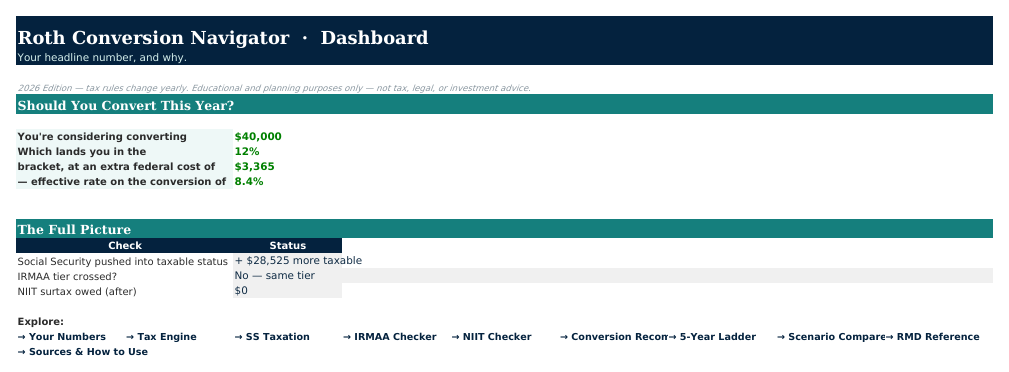
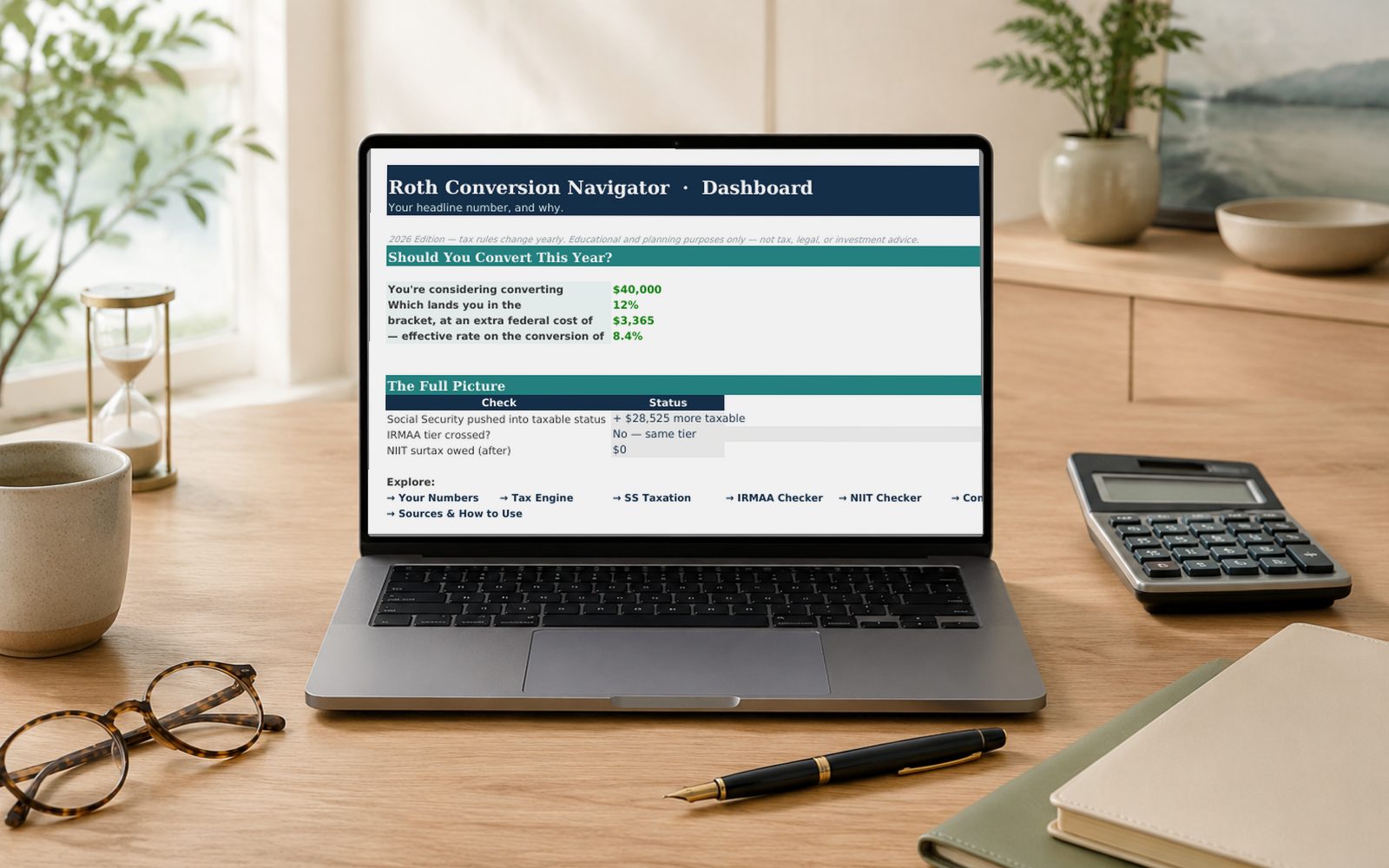
How much should you convert to Roth this year? A full 2026 federal tax engine shows the real bracket, Social Security impact, IRMAA risk, and effective rate — before you touch your IRA.

$59one-time purchase
  • Instant digital download
  • 30-day money-back guarantee on every product.
  • No subscription — yours to keep
  • Personal-use license included

Overview

Roth Conversion Navigator answers one expensive annual question: how much, if any, should you convert this year? Enter your filing status, ages, income, Social Security, and the amount you're considering, and the workbook runs the full 2026 federal tax math — brackets, standard deduction (including the new OBBBA senior deduction), and long-term capital gains — to show exactly what that conversion costs.

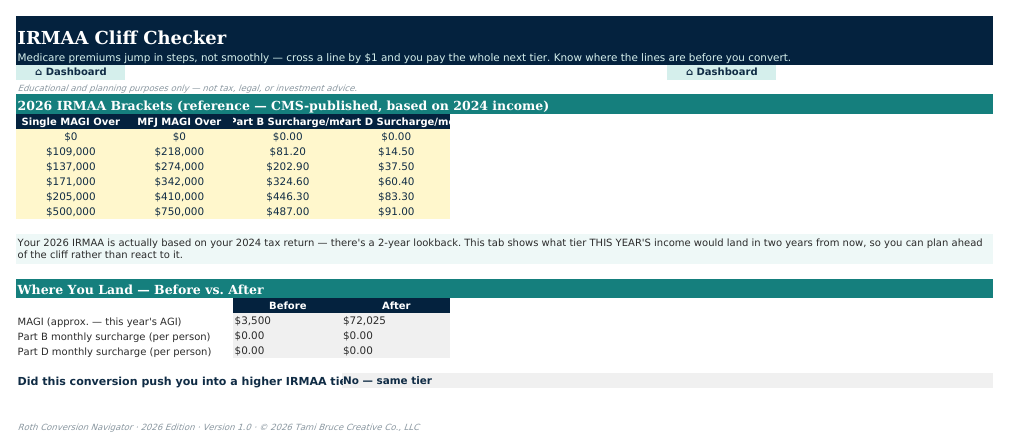
It goes further than a bracket calculator. The SS Taxation tab shows how a conversion can quietly pull more of your Social Security into taxable status. The IRMAA Checker flags whether you're about to cross into a higher Medicare premium tier. The NIIT Checker catches the 3.8% investment-income surtax. Conversion Recommendation gives you plain-dollar bracket-ceiling targets, the 5-Year Ladder compares spreading conversions across years against one large conversion, and Scenario Compare puts No Conversion, Your Plan, and Double side by side.

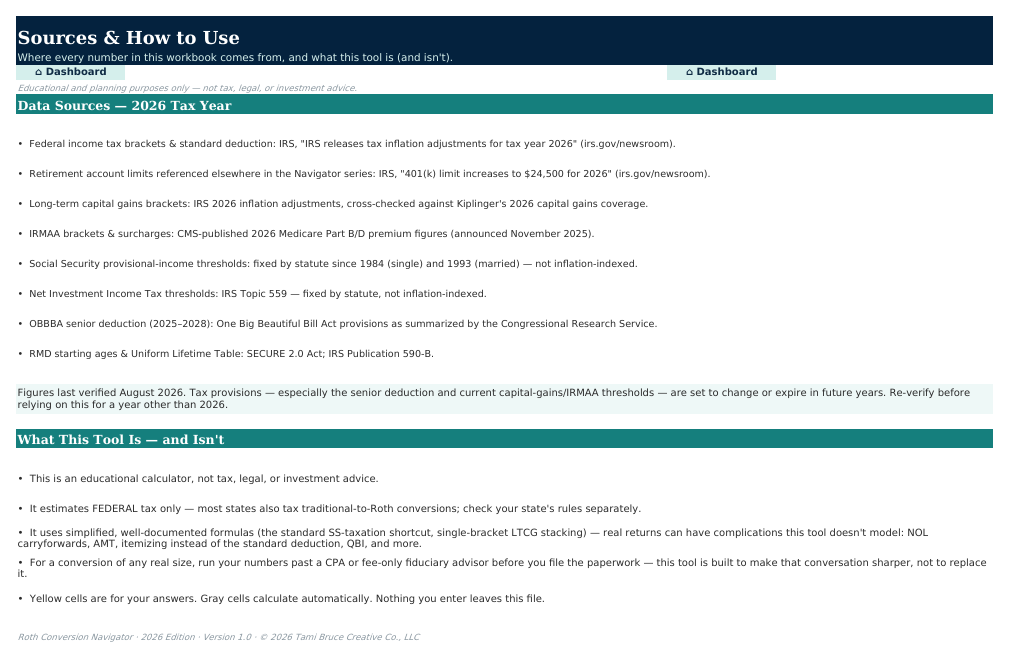
Every number is visible, labeled, and traceable back to the primary source that justifies it — IRS, SSA, and CMS guidance, cited on the Sources tab. Nothing is a black box, and your data never leaves the file.

Features

What this tool does

  • Full 2026 federal tax engine — brackets, standard deduction, OBBBA senior deduction phase-out
  • Social Security taxability modeling — see how a conversion pulls more of your benefit into taxable status
  • IRMAA Cliff Checker — catch an accidental Medicare premium surcharge before it happens
  • NIIT Threshold Checker — the 3.8% surtax on investment income
  • Conversion Recommendation — bracket-ceiling targets in plain dollars, not just percentages
  • 5-Year Conversion Ladder — compare spreading conversions across years vs. one big conversion
  • Scenario Compare — No Conversion vs. Your Plan vs. Double, side by side
  • RMD Quick Reference — see the future required-distribution problem a conversion shrinks
  • Dashboard with a one-line headline recommendation and plain-English reasoning
  • Shows its work — every intermediate calculation is its own visible, labeled row

Benefits

What changes for you

See the real cost before you convert

The effective rate on your converted dollars can run well above your plain marginal bracket once Social Security and IRMAA effects are included — this workbook shows that number before you file, not after.

Catches the Social Security surprise

A Roth conversion counts toward the income that determines how much of your Social Security is taxable. Most calculators miss this. The SS Taxation tab doesn't.

Every number, in the open

No hidden formulas or single opaque result — every step from your income to your final tax bill is its own visible row, so you can follow (and trust) the math.

Who it's for

  • Retirees and near-retirees weighing a Roth conversion this year
  • Anyone with a traditional IRA or 401(k) who wants to reduce future RMDs
  • DIY planners who want to walk into a tax-pro conversation with real numbers
  • Households near an IRMAA or NIIT threshold who want to see it coming

Who it's not for

  • Federal taxes only — it does not model state income tax, which varies by state and situation
  • Anyone without a traditional retirement balance to convert

Honest fit matters more to us than a sale — that's what the 30-day guarantee is for.

What's included

Everything in the box

  • Excel workbook (.xlsx) — Mac, Windows & Excel for the web (Microsoft 365 recommended)
  • Welcome tab with a plain-English walkthrough of every sheet
  • Sources & How to Use tab citing every 2026 figure (IRS, SSA, CMS)
  • No subscription — yours to keep

Questions

Frequently asked questions

No — think of it as preparation for that conversation. It shows you the real tradeoffs in plain dollars so you can ask sharper questions and make a more informed decision together.

No, federal only, by design — state income tax rules on Roth conversions vary widely and change often. Check your state's current guidance separately before finalizing an amount.

Yes — every bracket, deduction, IRMAA tier, and threshold reflects 2026 IRS, SSA, and CMS guidance as of the build date, cited on the Sources tab. We recommend an annual check each January, and updates within version 1.x are free.

No. Everything is pre-built — formulas, charts, and dashboards are ready to go. You only type into clearly marked input cells (they’re highlighted), and a Welcome tab walks you through setup in about ten minutes.

Yes. The workbook is a standard Excel file (.xlsx) that works on Mac, Windows, and Excel for the web. Microsoft 365 is recommended for the best experience.

The workbooks are designed and tested for Microsoft Excel. Google Sheets can import .xlsx files, but some advanced formulas and charts may not convert perfectly, so we don’t officially support Sheets at this time.

Completely. This is a file you own, on your computer. There’s no account, no cloud sync, and no data collection — your numbers never leave the workbook.

Every purchase includes a 30-day money-back guarantee. Email us and we’ll refund you — no hoops.

Version history

  1. v1.0August 5, 2026

    • Initial Merieva release

On the roadmap

  • Annual tax-table refresh
  • State tax overlay (exploring)

Roadmap items ship when they're ready — no timeline promises.

Zero-risk purchase

30-day money-back guarantee on every product. Personal-use license included with every purchase. Commercial licenses available. Questions before you buy? We answer fast.

Pairs well with

Related products

New
Privacy First
Retirement PlanningIntermediate

Retirement Navigator — Individual Edition

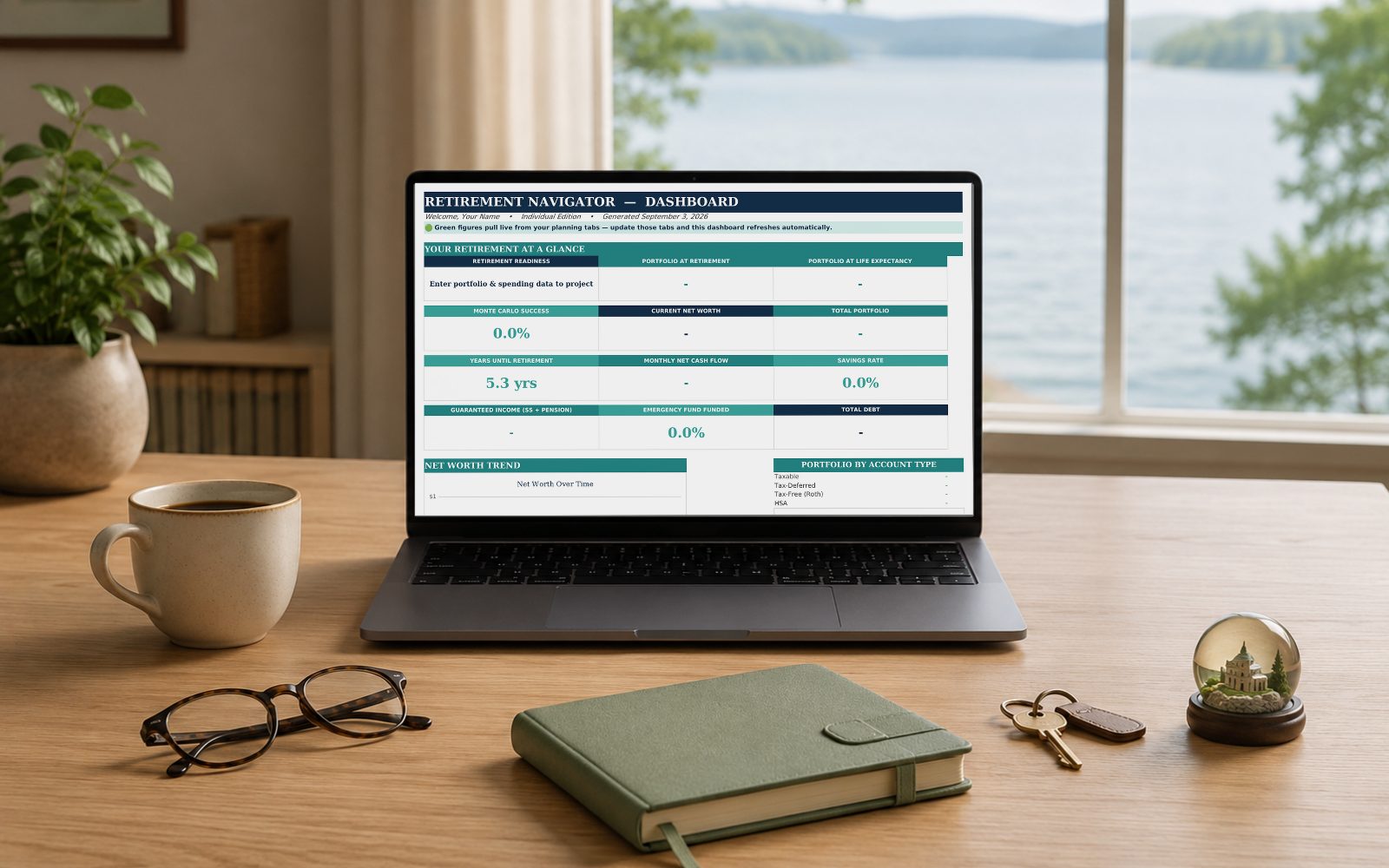
A complete, private, do-it-yourself retirement and budget workbook built for one person — projections, Social Security, RMDs, Roth conversions, and stress tests.

Excel

$49

View Details
New
Privacy First
Retirement PlanningIntermediate

Retirement Navigator — Couples Edition

The complete budget & retirement planning system for couples planning retirement together after 50 — private, powerful, and jargon-free.

Excel

$59

View Details
New
Privacy First
Estate & Legacy PlanningBeginner

Legacy Navigator

Everything your family would need to find — accounts, documents, and wishes — organized in one private place, before they ever have to ask.

Excel

$49

View Details